
BetaDoctor / Home Permanently in beta

Private by default.No cloud. No account. No phoning home.

Most software today wants something back: your data, your email address, your attention. Mine doesn't. I make tools that just work, with only the functionality you came for, and they never collect a thing.

Projects

Released · version 1.00

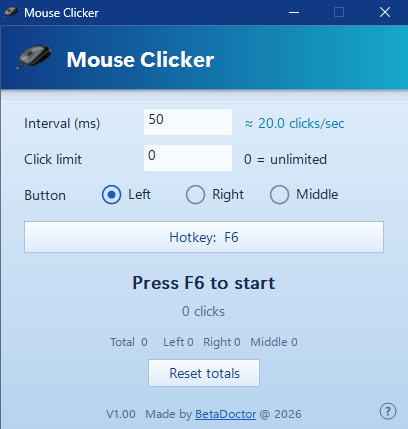
Mouse Clicker

A free auto-clicker for Windows that stays out of your way. Set the speed, point, press F6.

  • Up to 1,000 clicks a second
  • One small exe: no installer, no account, no ads
  • Free, with the source code included
Mouse Clicker: a picture of it
Released · version 1.00

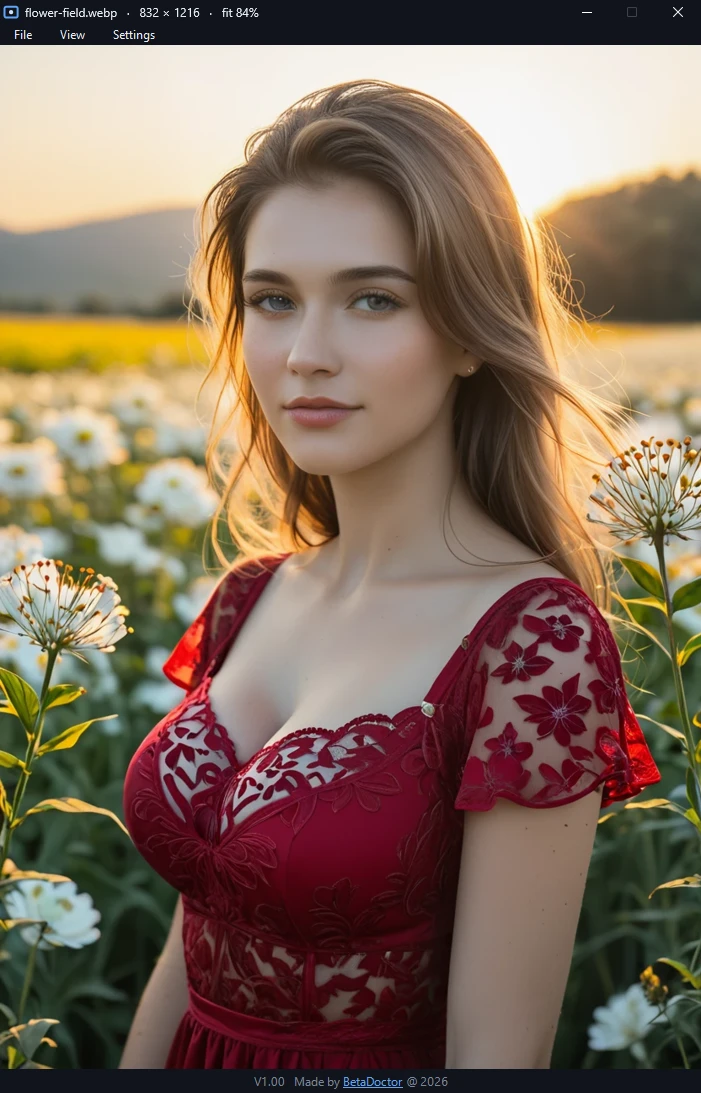
Image Viewer

A small, fast picture viewer for Windows. Just the picture, with nothing else in the way.

  • Opens AVIF, WebP, PNG, JPEG, GIF and more
  • See, edit and remove metadata, such as the GPS position
  • One exe: no installer, no account, never goes online
Image Viewer: a picture of it
In the works

Piper Voices

Text-to-speech voices, trained at home.

In the works

Safe Internet Communication

Talking online without being listened in on.

Privacy statement

This site uses no cookies and no trackers, and it loads nothing from advertising or analytics companies.

My server keeps a log of visits: the time, the page or file, your IP address and what your browser says about itself, such as its type, its language and the page you came from. The page also reports back to my server what kind of screen and device it is shown on, which pages you open, what you click and how long you stay. I use all of this for statistics and to keep the site secure.

The log stays on my own server. Nothing in it is sold or shared with anyone.

Questions? You can reach me through GitHub.

BetaDoctor avatar
About me

Hi, I'm BetaDoctor. I make tools, mostly because the existing ones annoyed me.

Mine do what the name says and nothing else. No account, no cloud, no surprises. Everything is built and tested on one machine under my desk.

Everything here is in beta, permanently. Some of it works well, some of it is half finished, and all of it is still changing.

Built on
Processor
AMD Ryzen 9 3950X
Graphics
2 × Radeon RX 7900 XTX
Memory
32 GB AORUS DDR4
Motherboard
Gigabyte X570 AORUS ULTRA
Display
Samsung Odyssey G9
Storage
Samsung 990 PRO 4 TB + 1 TB
Released · version 1.00

Image Viewer: the picture, and nothing else.

Open a picture and you get the picture. No toolbar, no sidebar, no library that wants to import your photos. Just the image.

It is a single exe. No installer, no account, no ads, and it never goes online: there is no update check and nothing is reported to anyone. There is no settings file either; the only thing it stores is the file types you choose to link to it.

It also shows what a picture says about you. Press I to see everything stored in the file, such as the camera, the date and the GPS position, and remove it before you share the picture.

Made for Windows 11; should also run on Windows 10. The exe is not code-signed, so Windows may show a warning the first time you run it. To remove it: untick the file types under Settings, then delete the exe. It contains libavif, dav1d and libwebp: their licences.

What you get in version 1.00

Modern formats

PNG, JPEG, BMP, GIF, TIFF, ICO, WebP and AVIF always work; the WebP and AVIF readers are built in. HEIC works when Windows has its free HEIF extension.

Browse a folder

Arrow keys or the mouse wheel step through the folder, in the same order as Explorer. Animated GIFs play.

Zoom and full screen

From 5% to 1600%, with the real pixels above 100%. F11 or a double-click for full screen.

Metadata, your call

See, change or remove what is stored in a JPEG, PNG, WebP, TIFF or GIF: camera details, date, GPS, description. One button removes the location, another removes everything. The picture itself never loses quality. AVIF and HEIC are view-only.

Save as

Convert anything it can open to PNG, JPEG, BMP, TIFF or GIF. The copy carries no camera data.

Free and open

The source code is included for anyone who wants to check what it does or build on it.